
Windows, Linux, or Both?
Both.
I have been an avid–okay, in truth, an enthusiastic–Windows user for over three decades. I know, this dates me. So be it. Wisdom, perhaps. Currently, I’m running Windows 10X on one laptop and Microsoft Windows 11 on another. Yes, I actually like Windows! Long ago, I was involved in computer applications support, and later, in teaching the basics of Windows. I have blogged or elsewhere written about Windows countless times. I’ve suffered through a few ‘messy’ updates, later corrected or addressed by Microsoft, and I’ve happily adjusted to many new Windows versions and updates over the years.
I may earn a small commission. Thank you.
Speaking of “over the years”, I also, rather covertly if I do say so, wanted to learn more about the Linux operating system (OS). It was a cool thing to know about many years ago, in vogue, but over time asserted itself as a very viable alternative to Microsoft’s OS. I let my interest wane, moved onto other things, and until recently hadn’t thought much about it. But then I had reason to re-consider Linux.
I have an old, a very old, HP Pavilion laptop. I have myself, and periodically with the help of others, kept it going year after year. As of writing, it’s 14 years old. It’s severely under powered in every way, with, probably, much of the technology not being in active use for a long time. And to boot, it’s built around 32-bit technology. Years ago, I updated it to Windows 10 and added a solid state hard drive. The former slowed things down considerably (not really the OS’s fault, as this machine has precious little RAM), while the latter sped things up. So there I was, chugging along with Windows 10. But, friends, it was by choice. I had two other laptops that were more than capable, and since then, with even more power, resources, later Intel chips, and more RAM. This old baby, well, it has tremendous sentimental value for me. There, I said it. I also love the keyboard. It’s very responsive and a joy to type on. So I kept resurrecting it. Until, two years ago, it just wasn’t cutting it.
I had someone install a version of Linux on it, and as I was learning Linux OS commands and features, I kept using it. The version of Linux began to have all sorts of problems, so I decided to try to install a newer version of the same ‘flavour’ (Debian). I made a horrible mess of things to the point where I could not even start my old HP. Wanting to keep the machine going, I got some great recommendations through the Nextdoor app, found a new computer guru, and asked him if he could get it running again. He did, but a few problems persisted or cropped up. In returning to him for a fix, he installed a completely different version of Linux in the HP, found a way to up its RAM by a tiny bit, and since them I’ve been very happily back in the game.
Short version: I love Linux!
Linux Strengths and ‘Weaknesses’
Quite honestly, and this is an opinion only, I see any drawbacks as landing on developers and hardware vendors’ heads and not on Linux. I don’t see them as weaknesses, though I’m sure others might debate me on this. What are they, mainly? As I see them, and keep in mind I’m on a very under powered machine here, they have to do with compatibility issues with both hardware and software. For example, without a third-party program, I cannot (easily) run Windows-based programs on my Linux box. A problem? Absolutely. I cannot run Microsoft Office, something I not only use everyday, but something I make my living from in large part through my employer, Seneca College. Another Microsoft product, OneDrive, is one I am largely reliant on and one that I use personally as well as through the College. Are there options? Yes. There are some pretty fabulous alternatives to Microsoft Office, including one I’m running on my Linux box, LibreOffice. It’s amazingly full-featured and can ‘talk’ to Microsoft Office documents. I very much like it.
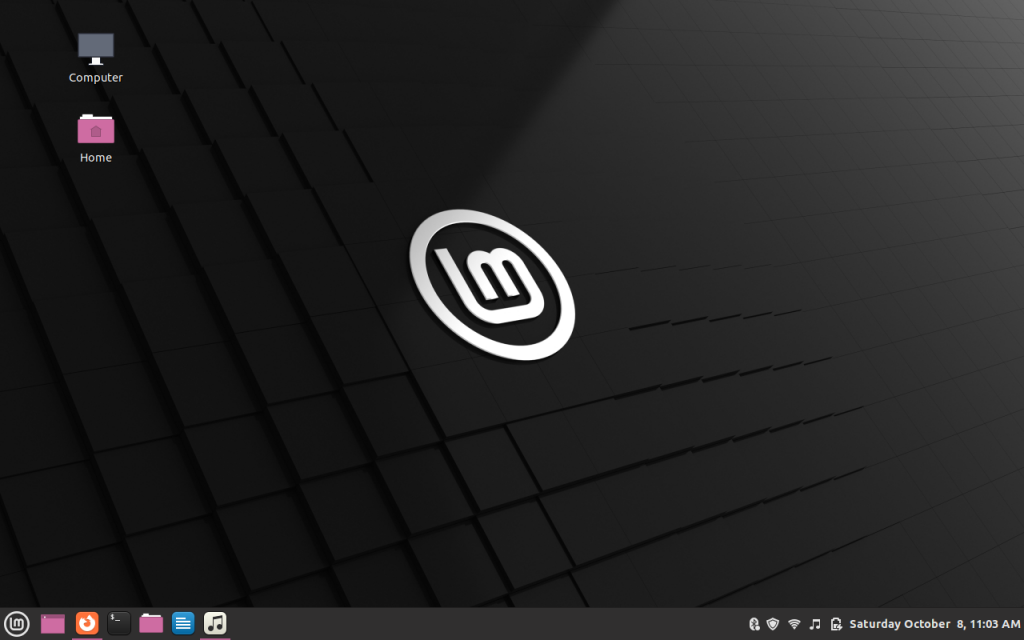
Though I overcame some hardware challenges with this newer version of Linux, Linux Mint, I had them with the former installation. For example, I needed to purchase a wireless USB dongle to pick up my network. Otherwise, I had to cable it directly into my router. No WiFi without the dongle. I also had some problems with newer Bluetooth devices, sound, and a few other little things.
And yet, Linux developers give freely of their expertise. Neither Linux Debian nor my current installation of Linux Mint cost anything. Both were and are frequently updated by countless dedicated Linux lovers. My current installation, for example, immediately and without fanfare picked up my wireless printer. First time! It immediately saw my network (I know, a given, but it’s still impressive). It has massive configuration capability. Best of all, it’s so clean, easy-to-use, light and fast. It comes preinstalled with a ton of great software. As I type this I’m using a leaner installation of Mozilla Firefox. And I’m listening to a streaming Internet radio station using Linux’ builtin Rythmbox. Perhaps not as flexible as VLC, which I adore for music and videos, it nevertheless totally delivers on flexibility. Even my notoriously hard-to-configure at times Bluetooth devices work like magic on my Linux machine. In terms of overcoming hardware and software limitations (which I’m sure are far, far fewer on Linux 64-bit machines and newer tech), I use some workarounds. For instance, I simply hop over to OneDrive online to do my thing with folders and files. (And yes, I use a few other cloud storage solutions and apps besides the ones Microsoft offers.)
Final Verdict
I’m here, now, writing this blog post using my ancient HP laptop, my Linux Mint installation, and WordPress, through the Firefox browser. I can type and type on this machine as it’s comfortable as an old boot. And every time I use my Linux box I take time out to learn more about the OS. I have (somewhat) fearlessly used the Terminal program to customize and install. It’s updates are fairly regular and simple to deal with. None of them have caused instability in my laptop.
If you’re adventurous, consider creating a dual-boot on your laptop to have both Microsoft Windows and Linux on your machine. If not, I urge you to ‘fly Linux’ on someone else’s computer to see how elegant and powerful an OS it really is.



Recent Comments